
Free · No signup · Private
The free passport photo maker that runs in your browser
Upload a photo, crop it to the official size for any country, remove or change the background, and download a print-ready passport photo. Nothing is ever uploaded.
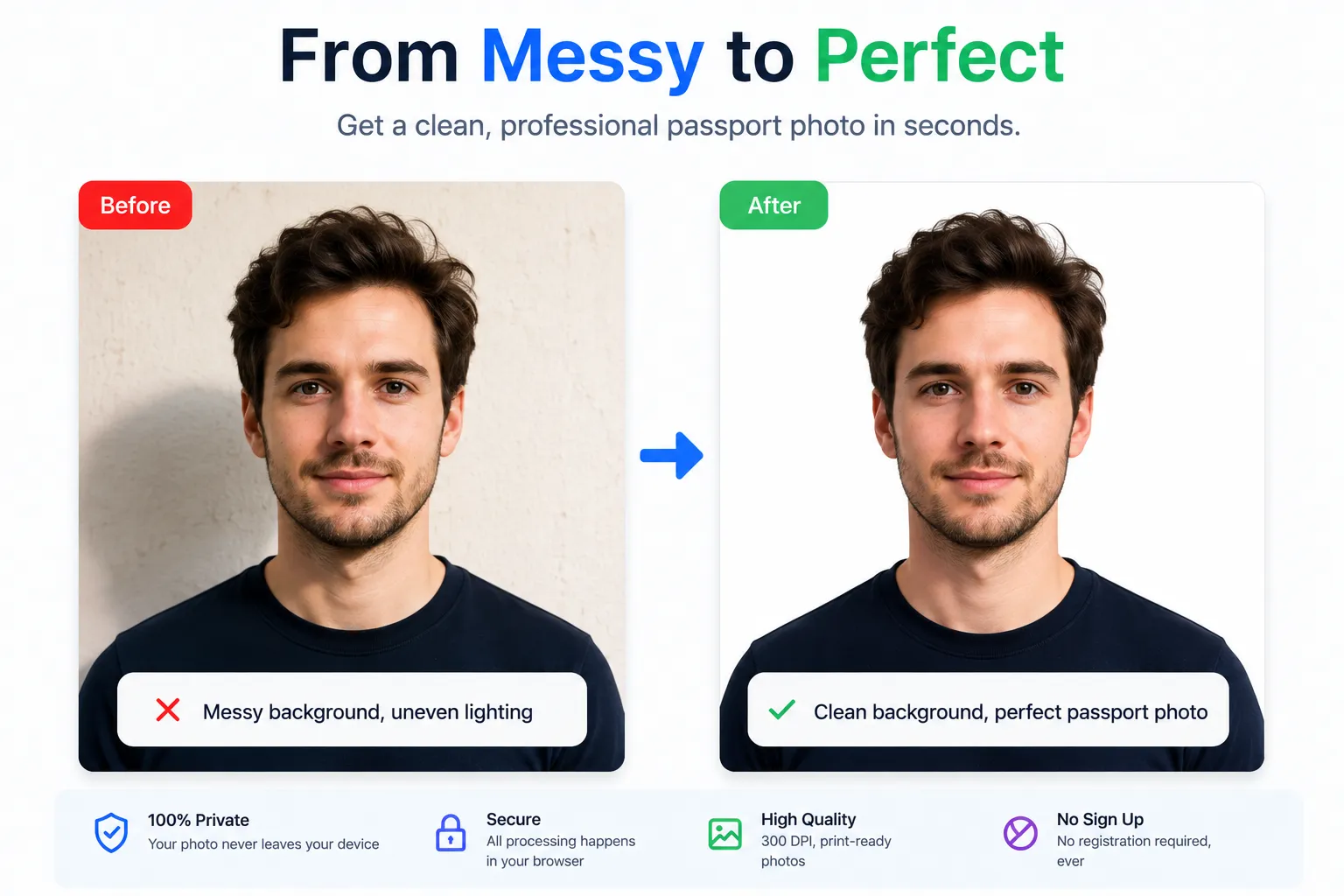
Your photo never leaves your device.
Drag to reposition · pinch with two fingers to zoom on touch devices.
Drag the lines or corners to set the crop area, then apply.
Photo settings
High-resolution export at 300 DPI. No watermark, no signup.
Why use it
Everything you need for a compliant photo.
A complete passport photo studio that respects your privacy and your time.
100% private, in your browser
Your photo never leaves your device. Cropping and background removal run locally — no upload, no server, no storage.
One-click background removal
Remove the background automatically, then switch to white, light blue, grey, any custom color, or export transparent.
Correct size for every country
Presets for the US (2×2 in), UK, India, Canada, Australia, the EU and more — always the official dimensions at 300 DPI.
Print-ready sheets
Generate a 4×6, 5×7 or A4 sheet with multiple copies and cut guides, then print at home or any pharmacy.
Crop, zoom, rotate & flip
A live preview with a head-position guide makes it easy to frame your face exactly where it needs to be.
Free, no signup, no watermark
Download a high-resolution photo at full quality. No account, no payment, no watermark on your image.
How it works
From phone photo to passport photo in 4 steps.
- 01
Upload your photo
Drag in a clear, front-facing photo taken against a plain wall in good light.
- 02
Pick your country
Choose a preset so the crop matches the official size and head proportions.
- 03
Adjust & fix background
Zoom and position your face, then remove or recolor the background.
- 04
Download or print
Save a single photo or a print sheet at 300 DPI — free, no watermark.
More free tools
Enhance and upscale any image — free
Beyond passport photos, we offer free image tools that run entirely in your browser.
Image Enhancer
Adjust brightness, contrast, saturation, and sharpness. Use the before/after comparison slider to see changes in real time.
- Brightness
- Contrast
- Saturation
- Sharpen
- Before/After
Image Upscaler
Increase image resolution 2× or 4× using high-quality bicubic interpolation. Perfect for printing at larger sizes.
- 2× Upscale
- 4× Upscale
- No watermark
- PNG / JPG / WebP
Sizes by country
Official passport photo sizes worldwide.
Pick your country for exact dimensions, head size, and background rules.
 United States 2 x 2 in (51 x 51 mm)
  Albania 35 x 45 mm
  Australia 35 x 45 mm
  Brazil 3 x 4 cm (30 x 40 mm); US visa applications use 2 x 2 in
  Canada 50 x 70 mm
  China 33 x 48 mm
  France 35 x 45 mm
  Germany 35 x 45 mm
  Iceland 35 x 45 mm
  India 35 x 45 mm (Indian visa & many applications use 51 x 51 mm / 2 x 2 in)
  Ireland 35 x 45 mm
  Italy 35 x 45 mm
  Japan 35 x 45 mm
  Luxembourg 35 x 45 mm
  Malaysia 35 x 50 mm
  Netherlands 35 x 45 mm
  New Zealand 35 x 45 mm
  Nigeria 35 x 45 mm
  Norway 35 x 45 mm
  Pakistan 35 x 45 mm
  Philippines 35 x 45 mm (Philippine visa applications often use 2 x 2 in)
  Russia 35 x 45 mm
  Saudi Arabia 2 x 2 in (51 x 51 mm)
  Schengen / EU 35 x 45 mm
  Singapore 35 x 45 mm
  South Africa 35 x 45 mm
  South Korea 35 x 45 mm
  Spain 32 x 26 mm (Spanish ID/passport); EU visas use 35 x 45 mm
  Switzerland 35 x 45 mm
  Thailand 35 x 45 mm
  Turkey 50 x 60 mm
  United Arab Emirates 43 x 55 mm
  United Kingdom 35 x 45 mm
  Vietnam 4 x 6 cm (40 x 60 mm)
 FAQ